featured · github
eSearch: A Screenshot Swiss Army Knife (Probably)
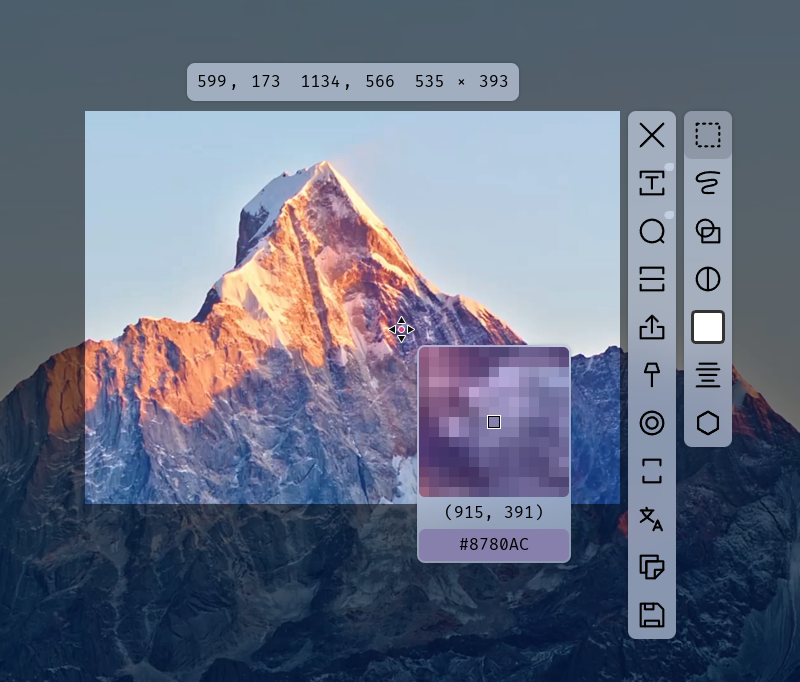
eSearch combines screenshotting, OCR, search, and translation into a single application for Windows, Linux, and macOS. It attempts to replicate screen-search functionality found in custom Android ROMs, but with a staggering array of features. It's feature-rich to the point of potential bloat.
xushengfeng/eSearch ↗Imagine needing to grab text from a screenshot, translate it, and then search for it, all without leaving your screen. eSearch tries to do that, and a whole lot more. It's like a Swiss Army knife for your screen, combining screenshotting with optical character recognition (OCR), which means it can turn images of text into actual text you can copy and paste. It also includes translation, image editing, and even screen recording. The project’s author has taken inspiration from custom Android ROMs like those from Xiaomi and OnePlus, bringing that 'screen search' functionality to desktop operating systems. The sheer number of features is impressive, but that also means a steeper learning curve. It's definitely a tool for people who need a lot of functionality in one package, and are willing to put in the time to learn how it works.
Share kit
Screenshot Swiss Army Knife: eSearch
eSearch is a dense application merging screenshotting, OCR, search, translation, and more. If you’re juggling documentation or data capture across platforms, it might be worth exploring, just be prepared for a learning curve. It’s available for Windows, Linux, and macOS.
eSearch: Screenshot + OCR + Translation. A Frankenstein of features. Useful if you need *all* of it. Overwhelming if you don’t. Download and decide. #AItools #productivity #opensource
eSearch offers a combined screenshotting, OCR, and translation workflow, attempting to recreate custom Android ROM functionality on desktop. While feature-rich, assess the learning curve relative to your needs. Download available on GitHub. #AI #OCR #productivitytools
eSearch is a chaotic toolbox for screenshots, OCR, and searching, basically, a Swiss Army knife for your screen. It combines screen recording, image editing, and even translation. The developer crammed a lot in, which means the setup is a bit involved. If you spend a lot of time documenting or need to quickly extract text from images, it’s worth exploring. Otherwise, skip it; you'll find more focused tools. Download it from the link below. #AItools #productivity #screenshot